
What is TestBeats?
TestBeats is a unified test reporting and test management tool. It is designed to streamline the process of publishing test results from various automation testing frameworks.
What Problem Does It Solve?
Modern development teams face several challenges with test reporting:
- Scattered Results: Test results are often buried in CI/CD logs or local files, making them hard to access and share
- Limited Visibility: Team members struggle to quickly understand test failures and their impact
- Manual Analysis: Developers spend significant time analyzing test failures instead of fixing them
- Poor Collaboration: Test results aren't easily accessible to non-technical stakeholders
TestBeats addresses these challenges by providing a centralized platform where all test results are automatically collected, analyzed, and made accessible to the entire team.
Key Features
- Unified Test Reporting: Publish test results from any automation framework to your preferred communication platforms like Slack, Microsoft Teams and Google Chat
- AI Powered Reporting: Gain clarity with concise summaries of test failures, showcasing error messages and impacted functionalities. Our smart analysis categorizes issues for efficient troubleshooting.
- Unlimited Test Alerts: Experiment and get started with TestBeats without any financial commitment. Foster collaboration across your entire team. Everyone can access and analyze test results seamlessly.
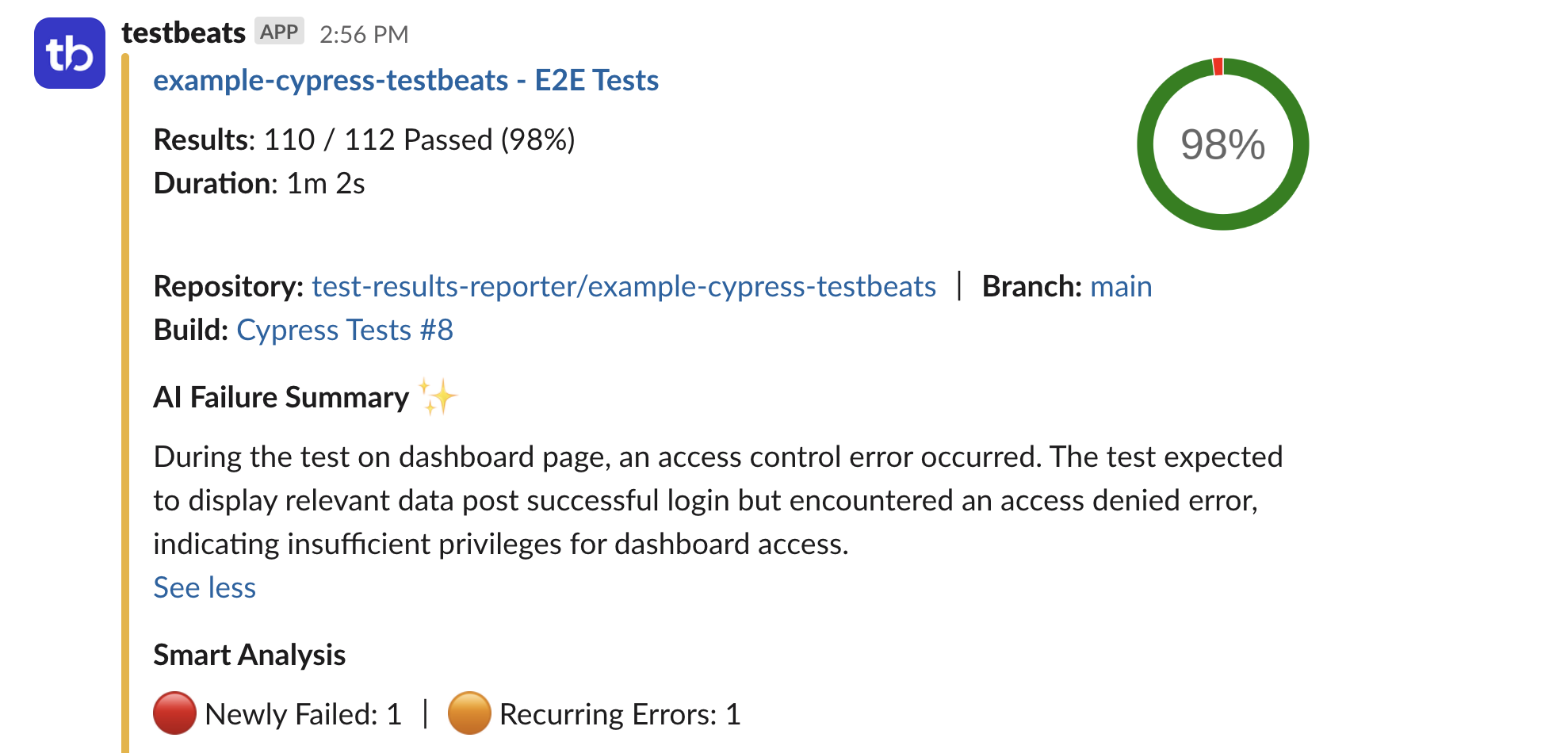
Alerts in Slack or MS Teams or Google Chat
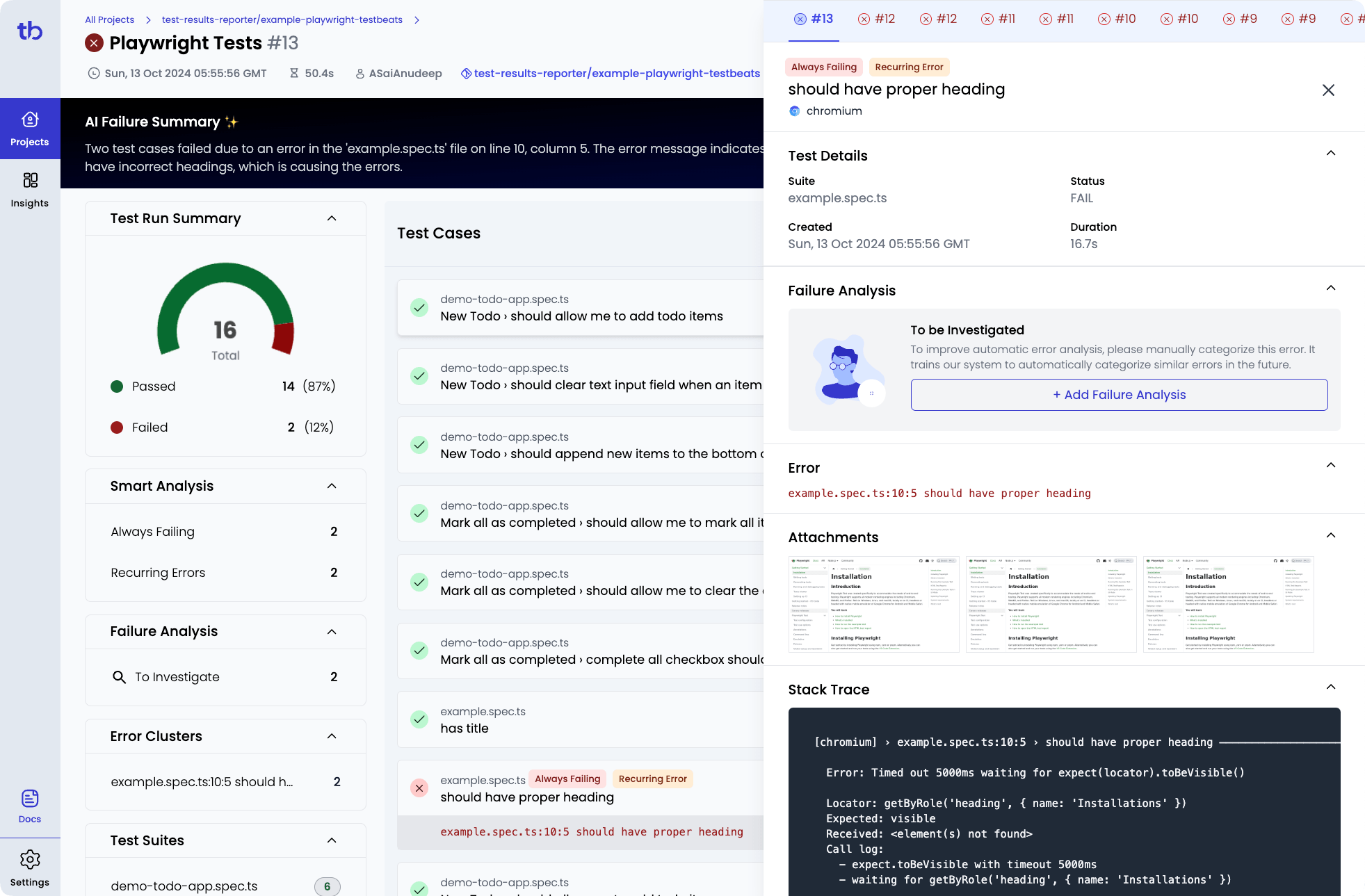
Results in TestBeats Portal
Core Concepts
Organizations
TestBeats Portal organizes users around organizations - typically representing your company or team. When you sign up with your work email, colleagues with the same email domain automatically gain access to your organization's test results, fostering seamless collaboration.
Projects and Test Runs
- Projects represent your applications or services (e.g., "Order App", "Payment Service")
- Test Runs represent specific testing activities (e.g., "Smoke Tests", "API Regression Tests", "Nightly Build")
Naming Strategy for Smart Analysis
For optimal AI-powered analysis, project and test run names should remain consistent across executions. TestBeats Portal's Smart Analysis feature compares current results with historical data from previous runs that share the same project and test run names. This consistency enables:
- Trend Detection: Identify patterns in test failures over time
- Regression Analysis: Spot when previously passing tests start failing
- Failure Categorization: Better classify and prioritize issues based on historical context
Best Practice
Use static, descriptive names like "API Regression Tests" or "Smoke Tests" rather than dynamic names that include timestamps or build numbers. This ensures Smart Analysis can effectively track your testing trends.
This hierarchy helps organize results logically and makes it easy to track testing progress across different applications and test types.
Manual Test Cases beta
Beyond automated test results, TestBeats Portal now supports manual test case management through version-controlled Gherkin feature files. Write your manual test scenarios in .feature files, store them in Git alongside your code, and automatically sync them to the portal via CI/CD.
Key Benefits:
- Version Control: Track test case changes over time with Git history
- Code Review: Review and approve test cases through pull requests
- CI/CD Integration: Auto-sync test cases when merged to main branch
- Single Platform: Manage both automated and manual testing in one place
This approach brings software development best practices to manual test management, making it easier to maintain, review, and track changes to your test suite. Learn more in our Manual Test Management Guide.
User Management
TestBeats Portal uses Google and Microsoft accounts for authentication. It supports two convenient sign-in methods:
Google Account: Ideal for teams using Google Workspace or those who prefer Google services for authentication.
Microsoft Account: Particularly advantageous for organizations using Azure Active Directory (Azure AD). If you don't have a Microsoft account, consider creating one with your work email address.
Did you know?
If you have registered using your work email, users from your organization who share the same email domain will automatically gain access to the test results.
🚀 Getting Started
New to TestBeats? Start here: Quick Start Guide - Your complete introduction to TestBeats - takes 15 minutes and covers everything you need to publish your first test report.
🆘 Need Help?
- Discussions: Join our GitHub Discussions
- Support: Email us at [email protected]
- Documentation: Browse our reference docs
Ready to get started? Pick a guide above that matches your needs!